

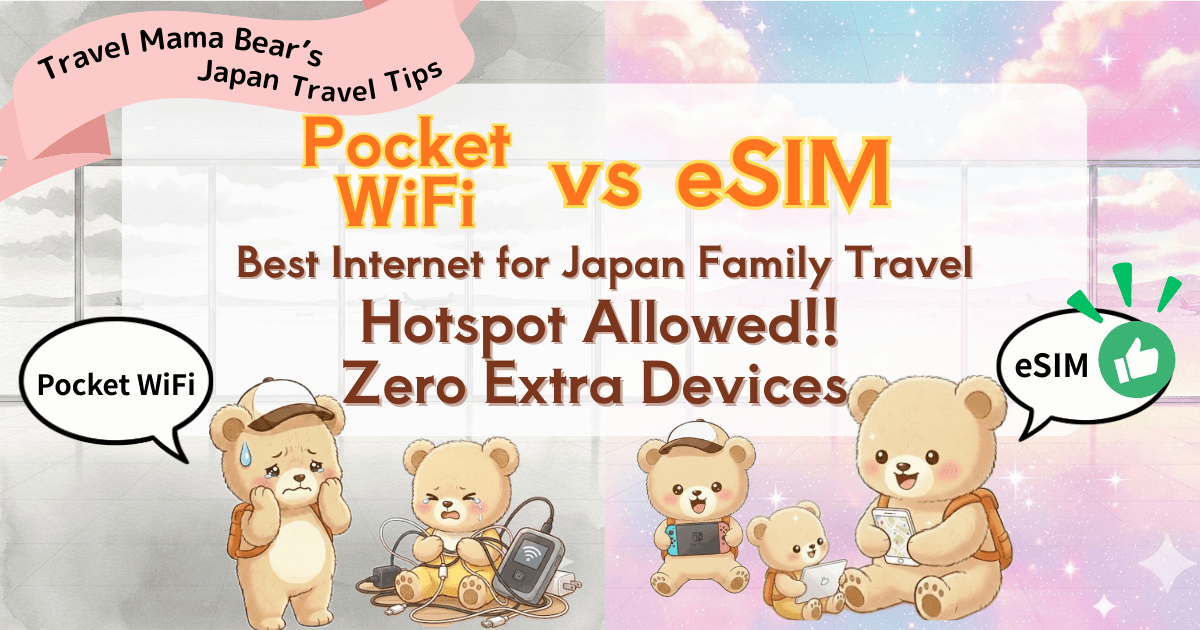
When you plan a family trip to Japan, one surprisingly stressful decision is how to get online.
“Should we just rent a pocket WiFi?”
“I keep hearing about eSIMs, but are they reliable?”
“With a squirmy toddler, which one is actually the easiest?”
This guide compares the four options — an eSIM, a pocket WiFi, a physical SIM card and your home carrier’s roaming — and helps you pick one in 30 seconds.
Prices and plans checked in October 2026 — please confirm on the official site before buying.
Written by Travel Mama Bear — a Japanese mom of two living in the Kansai area. I tested Airalo’s Japan eSIM on the Shinkansen and around Tokyo in June 2026.
Japanese version (written for Japanese families)
※This article contains affiliate links. We may earn a commission at no extra cost to you.
| Option | Best for | Links |
|---|---|---|
| eSIM (Airalo) | Unlocked, eSIM-ready phones; nothing extra to carry | See details ↓ Check plans |
| Pocket WiFi (Ninja WiFi) | Phones that can’t use an eSIM; families who stay together (up to 5 devices) | See details ↓ Book |
| SIM card | Unlocked phones without eSIM support | See details ↓ — |
| Roaming | Short stays, or when you need your own number | See details ↓ — |
Quick Answer: The Best Way to Get Internet in Japan with Kids
For most families, a Japan eSIM is the easiest choice: nothing to pick up, carry, charge or return. If your phone is carrier-locked or doesn’t support eSIM, a pocket WiFi is the better pick.
- No extra device to carry in your already-stuffed diaper bag.
- No router to charge every night.
- No rental counter to queue at with a tired baby.
Best for: families with unlocked, eSIM-ready phones who want to travel light.
\ Most families: just get an eSIM /
👉 See Airalo’s Japan eSIM PlansNo router to carry — no contract, no pickup
Reader-Exclusive Airalo Promo Codes
🎁 First-time users (15% OFF)
MAMABEARNEW
🎁 Existing users (10% OFF)
MAMABEAR
⚠️ The code goes in automatically — if you don’t see it, enter it at checkout
*Affiliate links · Instant delivery · No contract
3 Things to Check Before You Choose a Japan eSIM or Pocket WiFi
- Can your phone use an eSIM? On iPhone, go to Settings → General → About. If “Carrier Lock” (or “SIM Lock”) shows “No SIM restrictions,” your phone is unlocked — then check that your model supports eSIM.
- How many devices — and will your family split up? An eSIM lives in one phone, but that phone can share its data with a tablet by hotspot. A pocket WiFi lets several devices connect, but only while they stay near the router.
- Do you need a phone number? Airalo’s Japan plans are data-only, according to Airalo. Apps like LINE and WhatsApp still work for messages and calls.
Find Your Best Japan Internet Option in 30 Seconds
| Question | Yes | No |
|---|---|---|
| Q1. Is your phone carrier-unlocked and eSIM-compatible? | Go to Q2 | Pocket WiFi |
| Q2. Will your family split up during the day? | An eSIM for each phone | Go to Q3 |
| Q3. Do you need to make calls with a phone number? | Roaming | eSIM + hotspot for the kids’ tablet |
Japan eSIM: The Easiest Option for Most Families (Airalo)
What I found: In June 2026 I used Airalo’s Japan eSIM on the Shinkansen, in Tokyo Station and around Tokyo Disney Resort, and shared it to a second phone by hotspot.
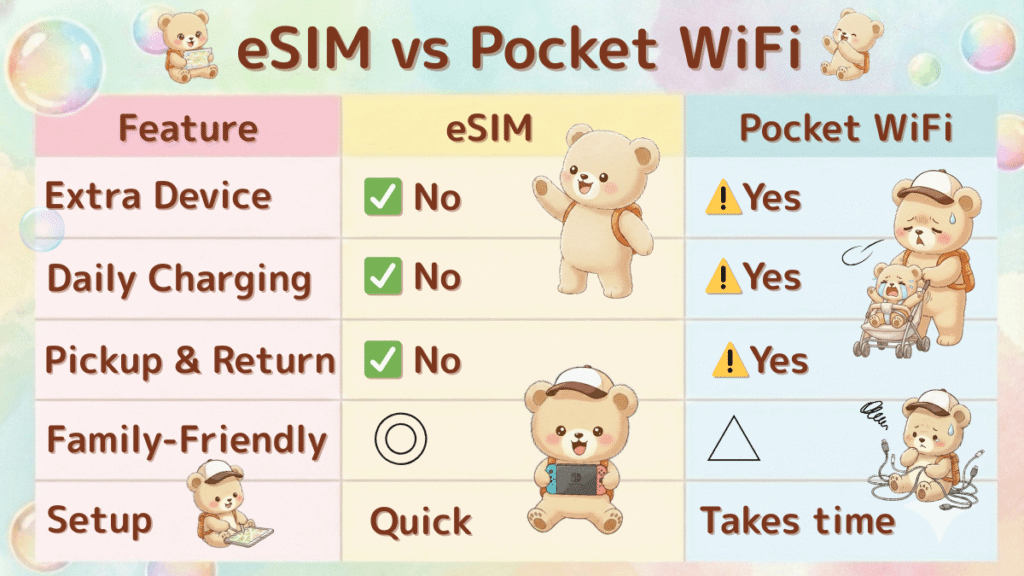
Why a Japan eSIM Works So Well with Kids
① It connects as soon as you land
As long as you install it at home before you fly, you just switch your data to the eSIM when you land — and you can look up the fastest train to your hotel right away.
② Less to carry, less to lose
No router to drop, and no second battery to watch right when you need Google Maps the most.
③ The kids’ tablet can share your data
Turn on Personal Hotspot and their iPad joins your phone like a WiFi network — handy on long Shinkansen rides or while you wait in a cafe.

According to Airalo: plans are data-only (no phone number), your phone must be unlocked and eSIM-compatible, and the unlimited Japan plans slow to 1 Mbps after 3 GB a day.
Best for: unlocked, eSIM-ready phones; families who want nothing extra to carry.
\ Set it up at home before you fly /
👉 Check Airalo Japan eSIM PlansNo router to carry — no contract, no pickup
Reader-Exclusive Airalo Promo Codes
🎁 First-time users (15% OFF)
MAMABEARNEW
🎁 Existing users (10% OFF)
MAMABEAR
⚠️ The code goes in automatically — if you don’t see it, enter it at checkout
*Affiliate links · Instant delivery · No contract
Pocket WiFi in Japan: Best When Your Phone Can’t Use an eSIM
I haven’t rented a pocket WiFi myself, so this section is based on the Ninja WiFi listing on Klook (checked October 2026).
According to the listing, you pick it up at a counter at major airports including Narita, Haneda and Kansai, connect up to 5 devices, and choose from 3 GB/day, 10 GB/day or no-daily-cap plans. Battery life is about 9 hours, and a lost router costs ¥40,000.

Things to Watch with Kids
- It needs charging every night. With about 9 hours of battery, a full sightseeing day can run it down.
- Little hands love the glowing buttons. Keep it in a zipped pocket so a toddler can’t switch it off or change the settings.
- Everyone has to stay near it. If the family splits up, only the people with the router stay online.
- It has to go back. Build the airport return into your departure day.
Best for: phones that can’t use an eSIM; families who stay together.
\ Phone can’t use an eSIM? Rent this /
Klook — Check Ninja WiFi PlansPick up at the airport, return at any airport
*Affiliate link
Japan SIM Card: For Unlocked Phones Without eSIM
A prepaid data SIM card goes into your phone in place of your home SIM. It needs an unlocked phone, and you’ll have to keep your tiny home SIM card safe for the trip — easy to lose with kids around.
Best for: unlocked phones without eSIM support.
Roaming with Your Home Carrier
Many carriers sell international day passes. You keep your own number, but the daily cost adds up on longer trips — check your carrier’s Japan rate before you fly.
Best for: short stays, or when you need your own number.
Japan eSIM vs Pocket WiFi: FAQ
It worked well in the city areas I tested; on the Shinkansen it dropped to 0.40 Mbps once in a tunnel section, and signal can dip in remote mountain areas.
For one or two phones, an eSIM is usually simpler to budget; one router shared by up to 5 devices can work out cheaper for a bigger group that stays together. Compare the total for your trip length before you book.
Yes. With an eSIM, turn on Personal Hotspot on your phone and the tablet joins it like a WiFi network — I shared my data to a second phone this way on the Shinkansen. With a pocket WiFi, up to 5 devices can connect to the router, according to the Ninja WiFi listing on Klook.
No. Phones with eSIM can usually keep your home line and a travel eSIM at the same time, so leave your home SIM in and switch mobile data to the eSIM while you are in Japan.
Only if it is carrier-unlocked and eSIM-compatible. On iPhone, check Settings → General → About for No SIM restrictions, then confirm your model supports eSIM. If it does not, a pocket WiFi is the easiest alternative.
Summary: Which Japan Internet Option Is Right for Your Family?
- eSIM: most families with unlocked, eSIM-ready phones.
- Pocket WiFi: phones that can’t use an eSIM, or groups that always stay together.
- SIM card: unlocked phones without eSIM support.
- Roaming: short stays, or when you need your own number.
\ Still unsure? Start with an eSIM /
👉 View Airalo’s Japan eSIM PlansNo router to carry — no contract, no pickup
Reader-Exclusive Airalo Promo Codes
🎁 First-time users (15% OFF)
MAMABEARNEW
🎁 Existing users (10% OFF)
MAMABEAR
⚠️ The code goes in automatically — if you don’t see it, enter it at checkout
*Affiliate links · Instant delivery · No contract
▶ You Might Also Like










Comments